
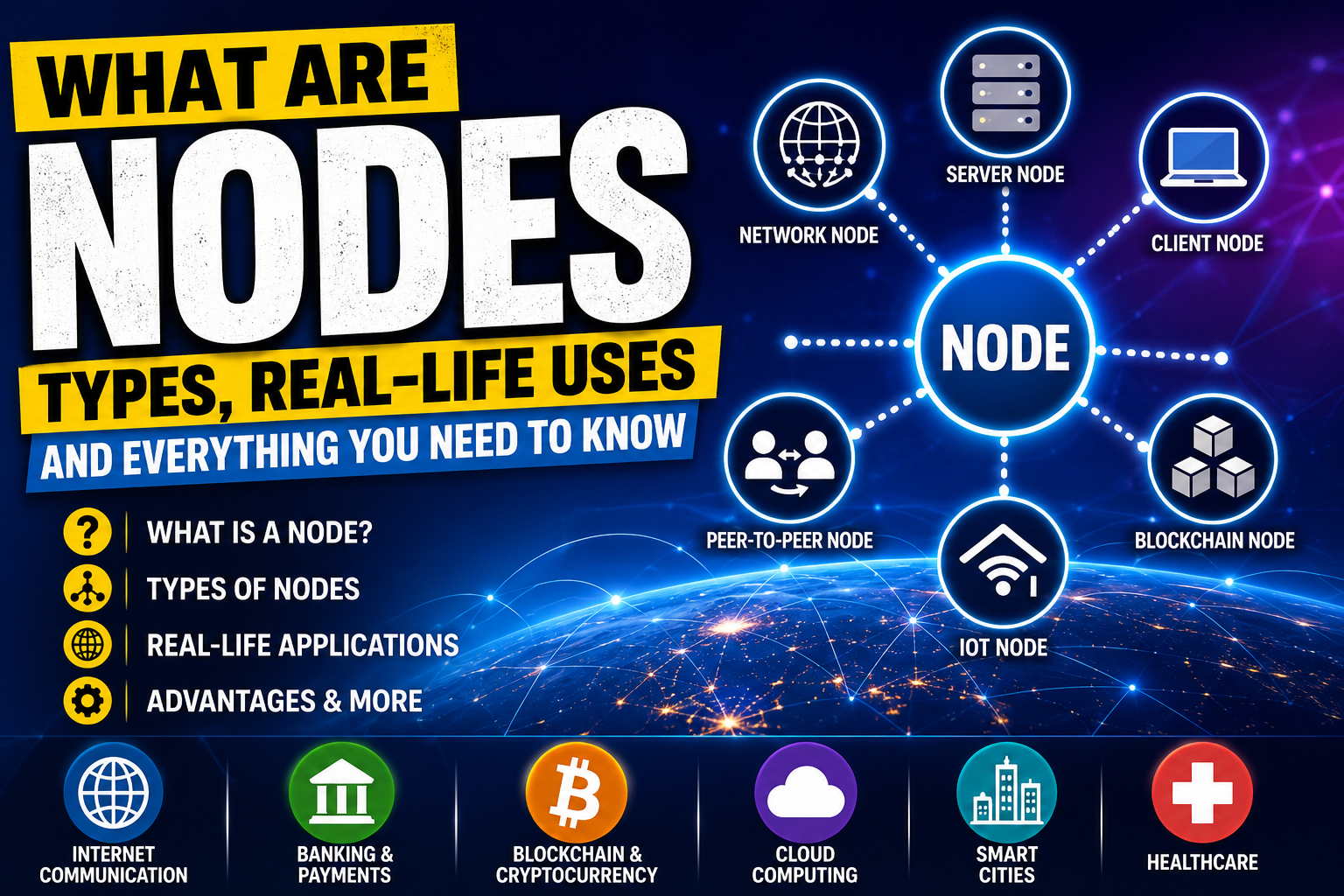
Introduction
In today’s digital world, technology connects billions of devices every second. Whether you are browsing the internet, watching videos online, sending messages through social media, making online payments, or using smart home devices, all these systems rely on networks. One of the most important concepts behind these networks is the node.
The term “node” is commonly used in computer networking, blockchain technology, cloud computing, and the Internet of Things (IoT). Although the word may sound technical, the concept is actually simple. A node is basically a connection point in a network that can send, receive, store, or process information.
Every modern digital system depends on nodes to function efficiently. Without nodes, devices would not be able to communicate with each other. From smartphones and computers to servers and blockchain systems, nodes play a major role in ensuring smooth communication and data transfer.
In this blog, we will explore what nodes are, how they work, the different types of nodes, and their real-life applications.
What Is a Node?
A node is any device or connection point within a network that can communicate with other devices. Nodes can send data, receive data, process information, or store information.
In simple words, a node is an active participant in a network.
Examples of nodes include:
- Computers
- Smartphones
- Routers
- Printers
- Servers
- Blockchain systems
- Smart devices
Whenever two or more devices connect and exchange information, they function as nodes.
For example, when you use your mobile phone to open a website, your phone acts as a node. The server hosting the website is also a node. The routers transferring data between them are nodes as well.
How Do Nodes Work?
Nodes work by communicating with each other through networks. Each node has a unique address or identity that helps it send and receive data.
When data travels through a network, it moves from one node to another until it reaches its destination.
For example:
- You type a website address in your browser.
- Your computer sends a request to a server.
- The request travels through several routers and switches.
- The server processes the request.
- The website data is sent back to your device.
In this process:
- Your computer is a node.
- The routers are nodes.
- The web server is also a node.
This communication happens within seconds because nodes continuously exchange information.
Characteristics of Nodes
Nodes have several important characteristics:
1. Communication
Nodes communicate with other nodes in the network.
2. Identification
Every node has a unique identity such as an IP address or MAC address.
3. Data Processing
Some nodes process and manage data.
4. Data Storage
Certain nodes store information for future use.
5. Connectivity
Nodes connect networks and devices together.
Types of Nodes
There are different types of nodes depending on their purpose and functionality.
1. Network Node
A network node is any device connected to a computer network.
Examples:
- Desktop computers
- Laptops
- Mobile phones
- Printers
- Wi-Fi devices
Real-Life Uses:
Network nodes are commonly used in:
- Schools
- Colleges
- Offices
- Banks
- Homes
In an office network, computers and printers communicate with each other through nodes to share files and internet access.
Advantages:
- Easy communication
- File sharing
- Resource sharing
2. Server Node
A server node is a powerful computer or system that provides services and resources to other devices.
Examples:
- Web servers
- Database servers
- Cloud servers
- Email servers
Real-Life Uses:
Whenever you:
- Watch videos online
- Use social media
- Open websites
- Store files in cloud storage
server nodes are working behind the scenes.
For example, streaming platforms use server nodes to deliver videos to millions of users.
Advantages:
- Centralized data storage
- Fast data access
- Reliable services
3. Client Node
A client node requests services or data from a server node.
Examples:
- Smartphones
- Tablets
- Personal computers
Real-Life Uses:
When you use apps such as:
- Messaging apps
- Social media apps
- Browsers
- Gaming applications
your device acts as a client node.
The client node sends requests, while the server node responds with information.
Advantages:
- User-friendly communication
- Access to online services
- Fast interaction with servers
4. Blockchain Node
A blockchain node is a computer connected to a blockchain network that helps verify and maintain transactions.
Examples:
- Bitcoin nodes
- Ethereum nodes
- Crypto mining systems
Real-Life Uses:
Blockchain nodes are used in:
- Cryptocurrency systems
- Digital payments
- Smart contracts
- Decentralized applications
For example, when someone sends cryptocurrency, blockchain nodes verify the transaction before adding it to the blockchain.
Advantages:
- High security
- Transparency
- Decentralization
5. Peer-to-Peer (P2P) Node
In a peer-to-peer network, all nodes have equal power and share resources directly.
Examples:
- File-sharing systems
- Torrent applications
- Decentralized networks
Real-Life Uses:
P2P nodes are commonly used for:
- Sharing files
- Sharing software
- Online gaming
- Music sharing
Unlike traditional networks, P2P networks do not rely on a central server.
Advantages:
- Cost-effective
- Decentralized communication
- Easy resource sharing
6. IoT Node (Internet of Things)
IoT nodes are smart devices connected to the internet.
Examples:
- Smart TVs
- Smart watches
- Smart refrigerators
- Smart lights
- Security cameras
Real-Life Uses:
IoT nodes are widely used in smart homes and smart cities.
For example:
- Smart lights can be controlled using mobile apps.
- Smart cameras can send live footage over the internet.
- Fitness bands monitor health data.
Advantages:
- Automation
- Remote control
- Improved convenience
7. Router Node
A router node transfers data between networks.
Examples:
- Wi-Fi routers
- Internet routers
Real-Life Uses:
Routers are used in homes, schools, and offices to provide internet access.
They help direct data packets to the correct destination.
Advantages:
- Fast internet communication
- Network management
- Better connectivity
8. Switch Node
A switch node connects devices within a local network.
Examples:
- LAN switches
- Ethernet switches
Real-Life Uses:
Switches are used in offices and computer labs to connect multiple computers.
Advantages:
- Faster communication
- Reduced network traffic
- Better performance
Real-Life Applications of Nodes
Nodes are used everywhere in modern technology. Below are some important real-life applications.
1. Internet Communication
The internet itself is a massive network of nodes.
Whenever users:
- Open websites
- Send emails
- Stream videos
- Use social media
nodes transfer and process data.
Without nodes, internet communication would not be possible.
2. Banking and Online Payments
Banks use server nodes and secure networks to process transactions.
Examples include:
- ATM systems
- Online banking
- UPI payments
- Credit card transactions
Nodes help verify transactions quickly and securely.
3. Blockchain and Cryptocurrency
Blockchain technology depends heavily on nodes.
Nodes verify transactions and maintain copies of the blockchain ledger.
Applications include:
- Bitcoin
- Ethereum
- Smart contracts
- NFT platforms
Blockchain nodes improve transparency and security.
4. Cloud Computing
Cloud computing platforms use multiple server nodes to store and manage data.
Examples include:
- Cloud storage
- Online backups
- Hosting platforms
Cloud nodes help users access data from anywhere.
5. Smart Homes
Smart homes use IoT nodes for automation.
Examples include:
- Smart fans
- Smart AC systems
- Smart lights
- Smart door locks
These devices communicate through networks and can be controlled remotely.
6. Healthcare Systems
Hospitals use nodes for:
- Patient record management
- Medical device monitoring
- Online consultations
- Health data storage
Connected devices help doctors monitor patients more efficiently.
7. Transportation Systems
Modern transportation systems use nodes in:
- GPS systems
- Traffic management
- Railway networks
- Smart traffic signals
Nodes help improve navigation and traffic control.
8. Educational Institutions
Schools and colleges use network nodes for:
- Computer labs
- Online learning
- Digital libraries
- Smart classrooms
Nodes allow students and teachers to share information quickly.
Advantages of Nodes
Nodes offer several benefits in networking and technology.
1. Fast Communication
Nodes allow quick transfer of information between devices.
2. Better Connectivity
Nodes help connect millions of devices worldwide.
3. Data Sharing
Users can share files, resources, and information easily.
4. Reliability
Networks with multiple nodes can continue functioning even if one node fails.
5. Scalability
New nodes can be added easily to expand networks.
6. Improved Security
Some nodes, especially blockchain nodes, provide high security and transparency.
Disadvantages of Nodes
Although nodes are useful, they also have some disadvantages.
1. Security Risks
If nodes are not protected properly, hackers may attack networks.
2. High Maintenance Cost
Large networks require maintenance and monitoring.
3. Complex Management
Managing thousands of nodes can become difficult.
4. Network Failure
If important nodes fail, communication may slow down.
Future of Nodes
As technology continues to grow, the importance of nodes will increase.
Future technologies such as:
- Artificial Intelligence (AI)
- 5G networks
- Smart cities
- Autonomous vehicles
- Advanced blockchain systems
will rely heavily on nodes.
Billions of connected devices are expected to communicate through nodes in the future, making networks faster and smarter.